Rally MCP - now in beta

Rally, everywhere your team works
Rally can now connect directly to MCP-compatible tools like Claude or Cursor, giving you secure, real-time access to your research data.
Your research, product, and engineering teams can now access participant data in Rally directly from the tools they already use. Instead of working in silos or chasing down context, teams can tap into real participant and research data, build studies, and take action without leaving their workflow.
- Build studies without leaving your workflow: Share your research plan, draft a screener, set up your study and book sessions without leaving your favorite AI tool.
- Generate Research reports in one prompt: Ask for a full quarterly summary of studies, participants, and team activity and get something ready to share with stakeholders
- Understand your panel health on demand: Quickly see show rates, fatigue, stale participants, and gaps without pulling a single manual report
- Find the right participants instantly: Describe who you need and get a shortlist that can be contacted without breaking governance
- Reuse past research instead of starting from scratch: Surface relevant studies, transcripts, and participants before kicking off something new
- Walk into interviews prepared: Get a full view of who you’re talking to, their history, and past sessions in one place
- Make better strategic calls with the data you already have: Understand where you have coverage and where you’re flying blind
This unlocks the future of how entire Product teams interact with users at scale. PMs, designers, UXRs, and engineers can kick off research, recruit participants, and build studies directly within their existing workflows, within the guardrails set by research ops.
MCP is in beta. Reach out to your CSM to get early access, or request a demo here.
See more, click less with Views (formerly Segments)
Views aren't just a rename ➡️ they're a smarter, cleaner way to save and share how you look at your participant data.
Here's what's new:
🔥 Easily filter your participant tables. Filters show up inline so you can see (and edit) them without opening a menu.
🔎 Add filters for each study phase (Not Started, In Progress, Pending Incentive, etc).
📁 Apply a saved View when adding people into a study to instantly filter down to the right group.
🪟 Views: Segments have been renamed to Views. Save a combination of filters and columns as a named View of your participant data. Plus, apply it when adding people to a study to instantly pull the right group.
Read more here, or watch the video below from Georgia, the lead UX Designer on this project:
Stop getting ghosted 👻 with no-show prevention
Fewer empty sessions, more confirmed attendees. We've added two new tools to reduce no-shows:
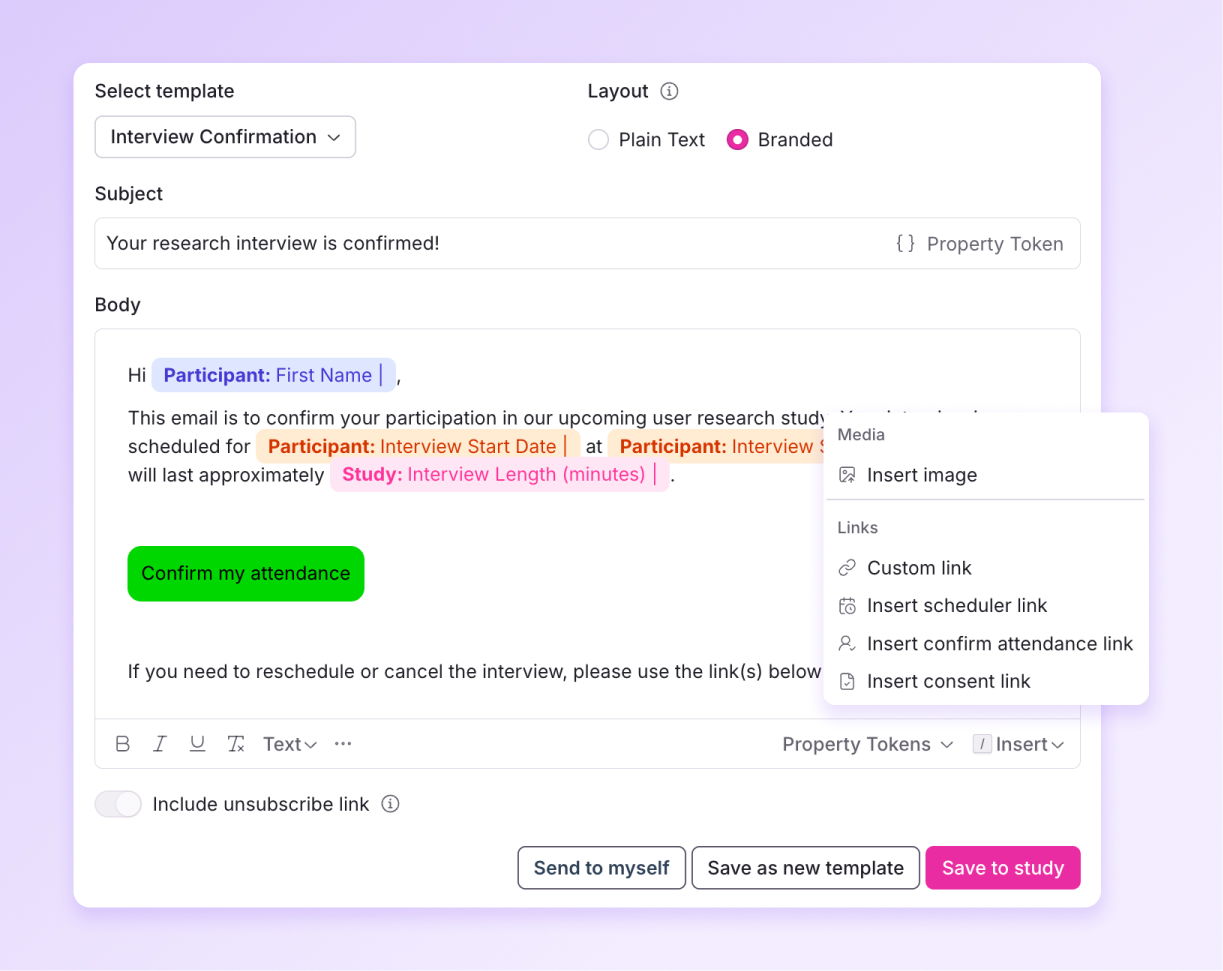
💌 Set up multiple automated reminder messages that are sent at custom intervals leading up to a session.
✅ Include a "Confirm My Attendance" button in any reminder so participants can signal they're still planning to show up.
Your team gets real-time visibility into who's confirmed before the session starts. If someone hasn't confirmed, you know early enough to reach out or line up a replacement.
Invite smarter with email drip campaigns
Invite participants in controlled batches so you never over-recruit.
Email drip campaigns let you send study invites gradually. Set a frequency – say, 10 invites every 24 hours – or spread invitations evenly across a date range. Responses come in at a steady pace, your panel stays fresh for future studies, and you stop when you've hit the sessions you need.

Template roulette is over
When you kick off a new study, you'll now see a dedicated gallery to browse and choose from templates. Each template includes a description, study type, and usage signals (for example, Most used by team and Recently used) so you can make an informed pick and start in the right place every time.
.jpg)
See your available time slots as you build
Rally's scheduling setup flow has been redesigned! Create a new study (or study template) to see a real-time calendar preview showing exactly how many slots are open based on your settings, a cleaner toggle between dynamic and manual availability, and a simplified layout for advanced options like buffer times and limits. Read more here.
.jpg)
- Question template sync: Reusable screener question templates now stay in sync across study templates.
- Hide host details for calendarless schedules: Participants only see what's relevant to them.