Rally's June Update

June was a big month for teams running more complex research programs. Multi-sessions makes longitudinal work native in Rally. AI Email Composer takes the friction out of outreach. BigQuery 2-way sync keeps your data warehouse current without any manual exports. And a handful of quality improvements make the day-to-day a little sharper.
Check out what's new:
Multi-Session Interviews
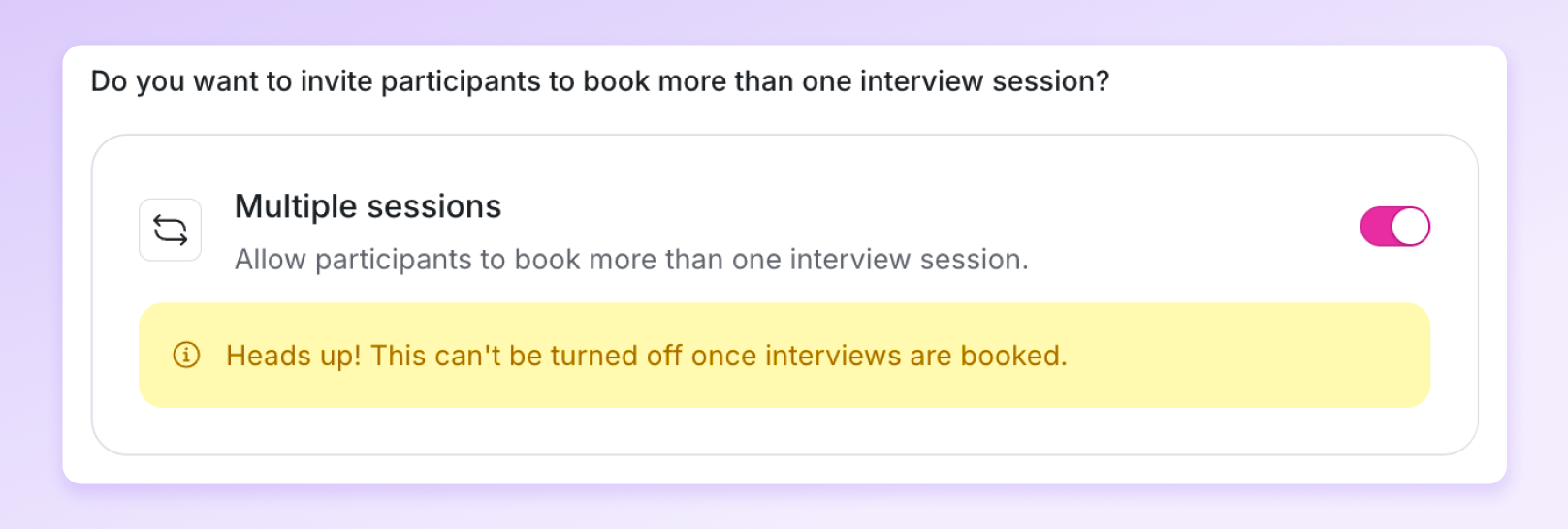
Toggle on multi-sessions in the Plan step of the Study Builder to book the same participants across multiple sessions in one study.
Use it to:
- Run ongoing studies or multi-round interviews with the same cohort
- Let participants view all their upcoming sessions and reschedule on their own
- Track longitudinal progress without leaving Rally
Describe the email you want and Rally writes it
Writing outreach emails that feel personal and hit the right tone takes longer than it should. With AI Email Composer, type what you want the email to say and Rally drafts the message for you. Available in study messaging, it works across invitation emails, reminders, custom outreach, and templates.

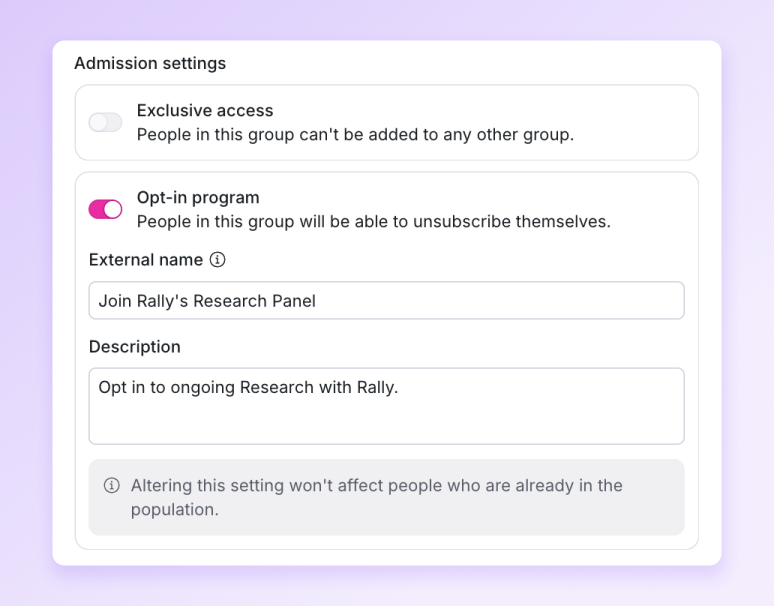
Let participants opt-out of specific populations
Mark a population as opt-in, and participants can now opt out of individual populations instead of unsubscribing from Rally entirely. When someone clicks unsubscribe, they choose which panel to leave – so a participant opting out of one program stays reachable through others.
Download interview clips
You can now download clips directly from your Observer Room recordings. Take a highlight from a session and drop it into a stakeholder presentation, a research report, or a Slack message.

Cap how many sessions you take on across all your studies
You can now set a maximum daily and weekly interview limit across all the studies you’re working on. Protect your precious time!
.png)
Hide hosts and guests from participants
You can now hide host and guest details from participant calendar invites, making it easy to swap interviewers or observers mid-study without participants noticing, and keeping your research anonymous when it needs to be. Turn it on in Workspace Settings > Calendar.

2 way BigQuery sync
Rally already synced participant data from BigQuery. Now it syncs back out too. Changes you make in Rally (updated properties, new participants, status changes) flow back to BigQuery, so your data warehouse stays current.
Keep integrations running smoothly
Workspace admins now get an email notification any time an integration fails. Whatever the reason, you’ll hear about it immediately so you can reconnect and keep things running smoothly.
Create and manage screeners entirely through the Rally API
Rally's public API now includes a full set of screener endpoints. Create a screener within a study, retrieve it, replace it, or remove it entirely. Questions can also be managed through dedicated endpoints, allowing you to create, fetch, update, or delete individual questions without modifying the rest of the screener. Responses can be mapped to participant properties just as they would be in the study builder.
- Screener filter values for non-English studies now match correctly – responses stored in French, German, or other locales can be filtered.
- Removing a guest from an interview now updates the host's Google or Outlook calendar event in real time.
- Redesigned Share page in the Study Builder.