Building the foundation for reliable user research
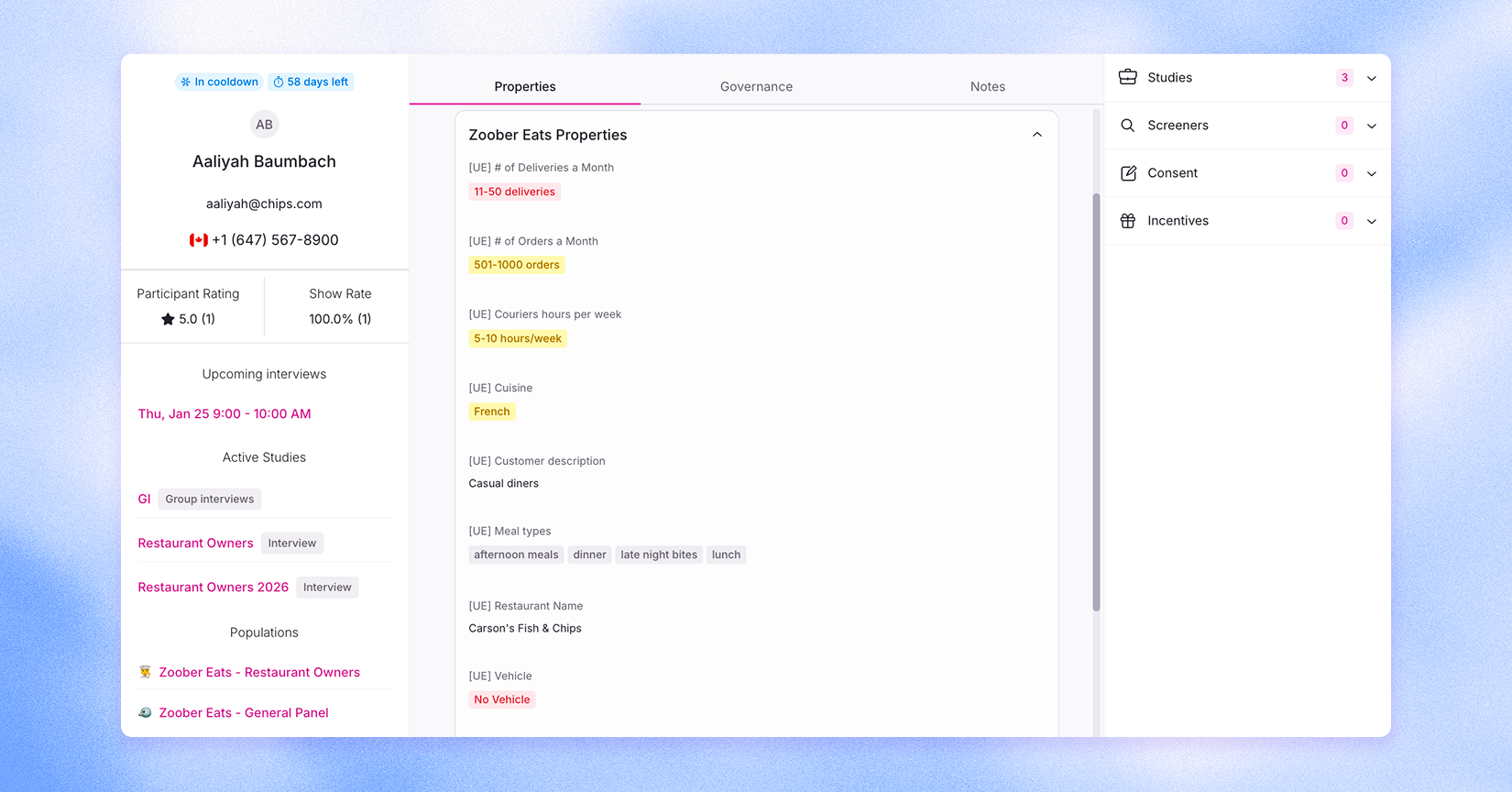
From new participant rating and reliability tools to smarter filtering, property management improvements, API enhancements, and accessibility updates, this release strengthens the foundation of your research program. The result is better recruiting decisions, cleaner workflows, more personalized participant experiences, and tighter integrations across your stack.
Watch the 2 minute overview below:
Participant rating & reliability properties
We’ve added new tools to help you easily spot your most engaged and reliable participants so you can prioritize them for future research with confidence.
Keep track of your best participants
Participant Rating (on a scale of 1 - 5) lets your team mark which participants consistently provide helpful, thoughtful feedback during research sessions.

Use it to:
- Highlight participants who are high-quality contributors
- Prioritize top performers for future studies when they qualify
- Build stronger, more reliable research cohorts over time
Each user can enable Slack notifications to remind themselves to login to Rally after each interview to confirm attendance and rate the participant.
Measure reliability with show rate properties
You’ll now see two new participant properties that help measure reliability:
- No Shows: The number of sessions a participant has missed.
- % Show Rate: The percentage of sessions a participant has attended.
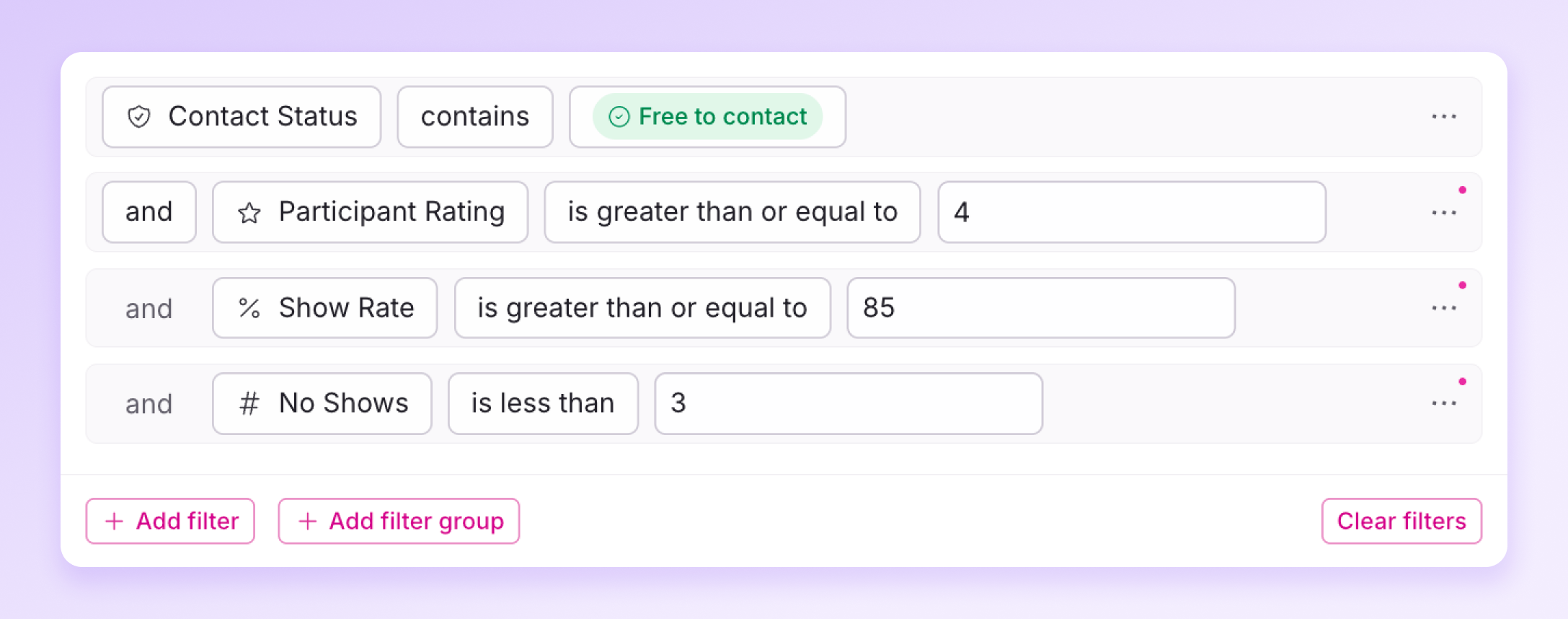
These properties can be used for:
- Filtering participants in All People or within a Population
- Creating Segments of highly reliable participants
- Improving recruiting decisions by focusing on people who consistently show up
Together, these new tools make it easier to understand participant engagement at a glance and recruit with higher confidence and speed.
Redesigned Person Profile
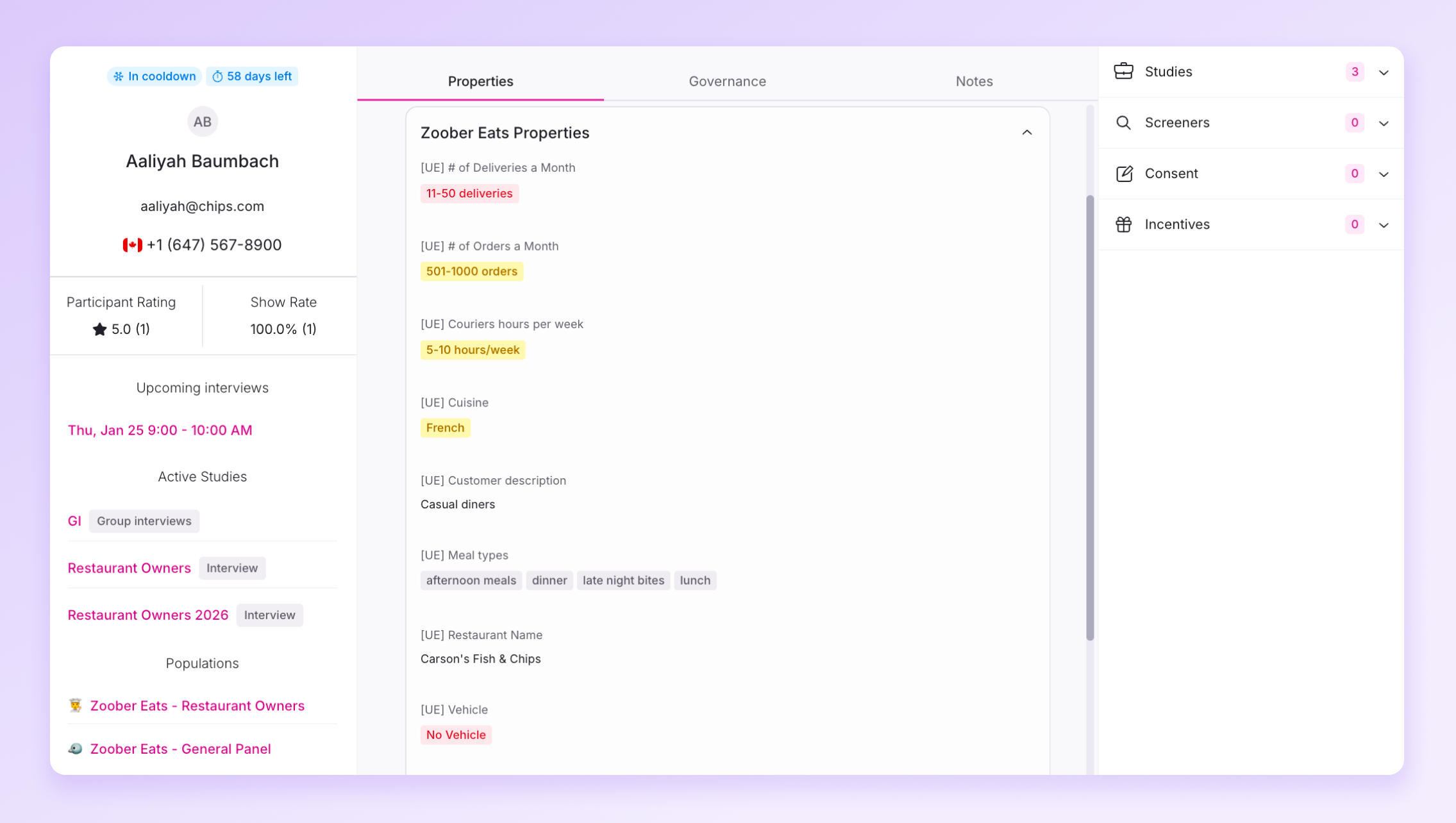
We’ve refreshed the person record to make it easier to find key information at a glance. The new layout surfaces the essentials so your team can make faster decisions without digging around.
You’ll see all the same participant data in a more streamlined view:
- Contact & cool-down status
- Current and past study engagement
- Notes and feedback from your team
- Consent status, so you know what’s already signed
It’s all about reducing context switching and keeping the most important info front and center.
Property Groups & Descriptions
We’ve introduced new tools to make participant properties easier to manage, understand, and use across your teams.
Property Groups by Population
You can now organize participant properties into groups and assign them to specific populations.
This means:
- Each team only sees the properties they have access to
- Sensitive or specialized data stays contained
- Researchers filter participants using the fields that matter most to their work
It keeps your workspace cleaner, more secure, and more relevant to each team.
Property Descriptions
Admins can now add descriptions to properties directly in Settings.
This helps teams understand:
- What a property means
- Where it comes from
- When and how it should be used
Clear descriptions reduce confusion and make it easier for new teammates to get up to speed.
- Display as concept for number properties
- Display as ‘relative’ to capture dates that grow i.e. age

Smarter, Easier Filtering
Filtering participants is now faster and more intuitive with:
- Better search for finding properties quickly
- Filter groups that apply AND/OR logic so that multiple properties can be applied at the same time
- Clear all filters
- Search for the options (values) within a property
It’s now much easier to narrow in on the right people without hunting through long lists of fields.
Use participant properties in key study messages
You can now dynamically insert participant/person properties into more parts of your study flow, including:
- Welcome page (great for personalized direct links)
- Screener completion messages
- Unmoderated test completion messages
- Scheduler fully booked messages
Use personalization tokens to personalize messages at every step: greet participants by name, reference their company or segment, tailor instructions, or provide custom next steps.
The result is a more polished, on-brand participant experience and clearer communication.
Accessible participant experience
Accessibility is a priority at Rally, and we’re continually investing in making the participant experience as inclusive and usable as possible. Over the past month, we’ve rolled out several improvements, including:
- Increased contrast for buttons and text to improve legibility and better support accessibility devices
- Restructured participant facing page layouts to create a clearer, more readable flow
- More consistent page experiences for screen readers
- Improved alternative text for visuals
- Clearer, more actionable error messaging
These updates reflect our ongoing commitment to aligning with WCAG standards and ensuring everyone can participate in research confidently. You can read more about our approach in Rally’s Accessibility Policy.
Update API integrations when CSV uploads complete
We’ve expanded our API to include a new event that automatically triggers when a CSV person import is complete.
Why this matters:
- Keep external systems (like CRMs, data warehouses, or marketing tools) in sync in real time
- Trigger downstream workflows the moment new participants are available
- Reduce operational overhead and eliminate timing gaps between import and activation
- Participants that have been added to a blocklist will not be able to reschedule their interview. Participants will receive the study full message if they attempt to schedule.
- As of Feb 1, 2026, incentives sent through Rally follow Tremendous’ standard 7-day cancellation window. You can cancel any unclaimed incentive within 7 days of sending it. After that, it becomes non-cancellable and the funds are considered spent (participants can still claim at any time).