Announcing Rally & User Interviews Partnership

We’re kicking off 2026 with a strong start, focused on making Rally even more powerful as the foundation for scalable, high-quality research. This month’s updates bring new flexibility in how you recruit participants, more clarity and automation in day-to-day workflows, and thoughtful improvements that reduce friction across the research lifecycle. Here’s what’s new in January.
We’re so excited to announce our partnership with User Interviews!
With this partnership, Rally customers can recruit participants from the User Interviews panel directly inside Rally, while keeping recruitment, screening, scheduling, and incentives centralized.
This gives teams more flexibility to reach participants beyond their own users, without adding new tools or extra operational overhead.
.png)
Custom favicons and link previews for Signup Forms & Studies
Add a custom favicon for your Brands that displays in browser tabs for Signup Forms and Studies. Plus, add an external name and description for Signup Forms. This gives your forms a more polished, recognizable presence wherever they’re opened or shared, so participants know exactly who they’re hearing from.

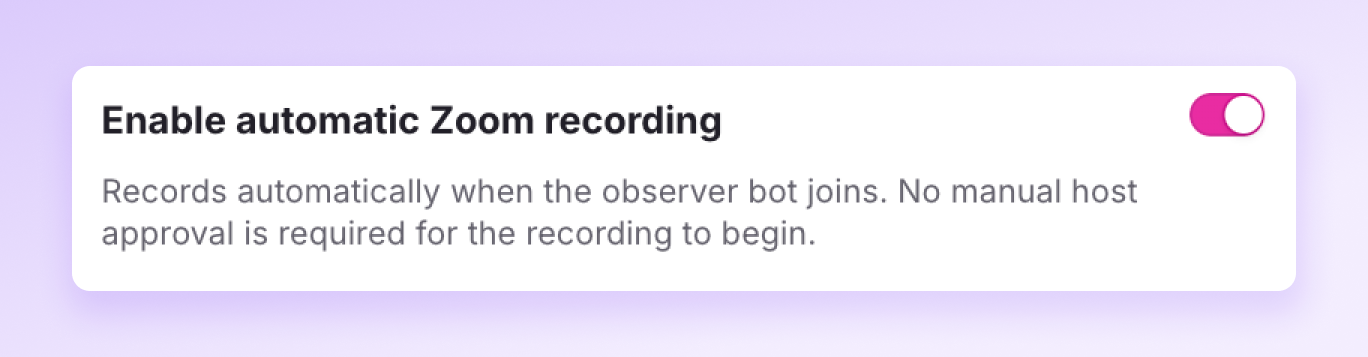
Automatically record Observer Rooms
We’ve introduced a new Observer Room setting that removes the need for recording approval in Zoom meetings. When enabled, Rally’s bot automatically starts recording as soon as it joins, making it easier to capture sessions without delays or extra steps.
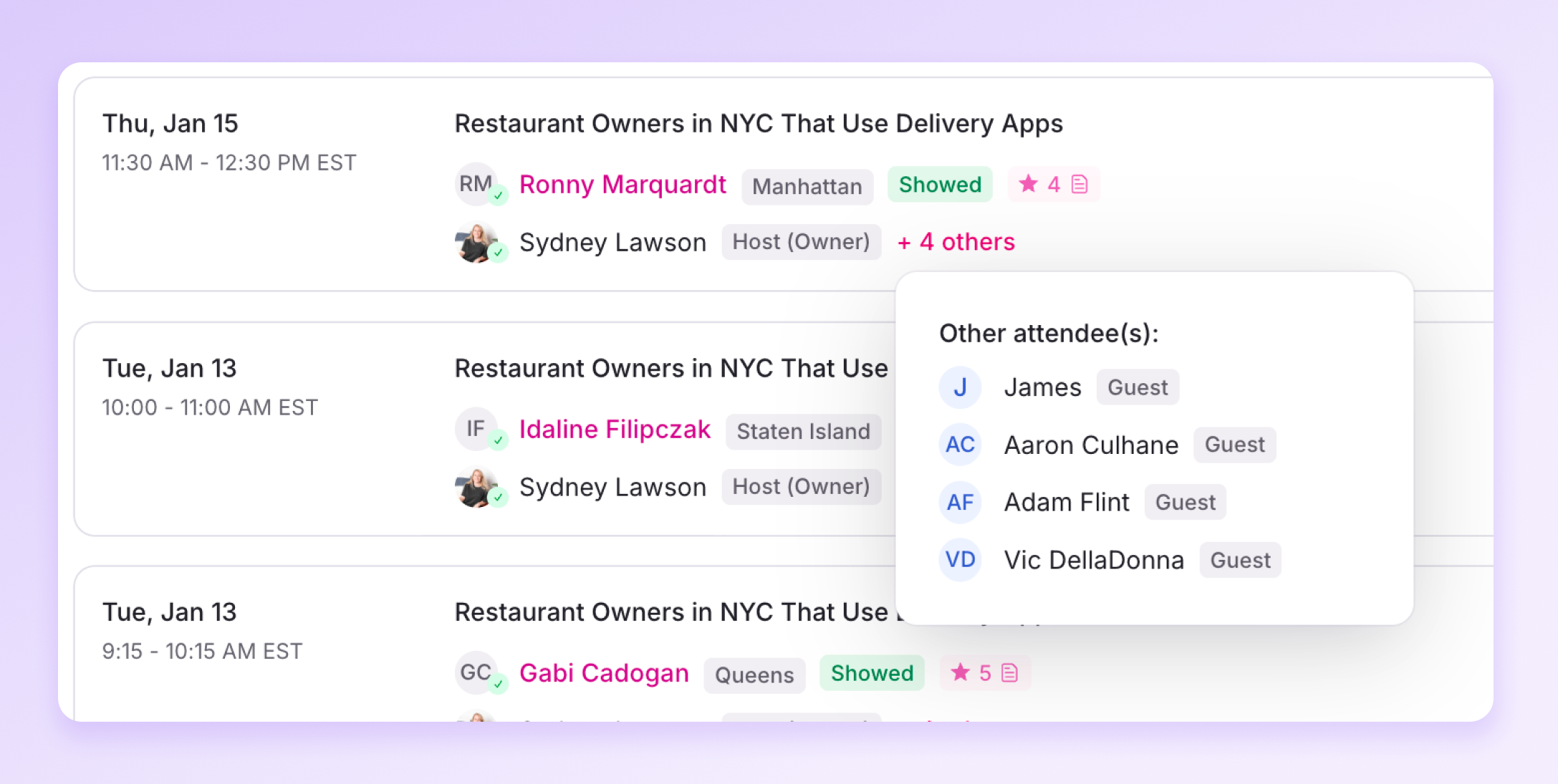
Instant clarity for every interview
Interviews now include tags and icons that show key details at a glance, including show or no-show status, calendar invite acceptance, participant ratings with notes, and clear host versus guest roles.
Pin your favorite Populations
Don’t worry, we won’t tell the others 🤫
You can now manually reorder your populations in the sidebar. Hover over ‘People’, click the 3 small dots to the right, and select ‘Manage favorite populations’.
- Each user can set their own preferred order.
- You can only pin 6 populations.
- This makes it easier to prioritize the groups you use most frequently.

- When editing a study, the save button now reads “Publish Edits” instead of “Publish Study.
- Users can click to manage their notification preferences directly from emails they receive.
- Missing a credit card on file? Navigate directly from the Add Funds modal in a study to add a payment method in Settings.
- Improved landing page performance and speed.